
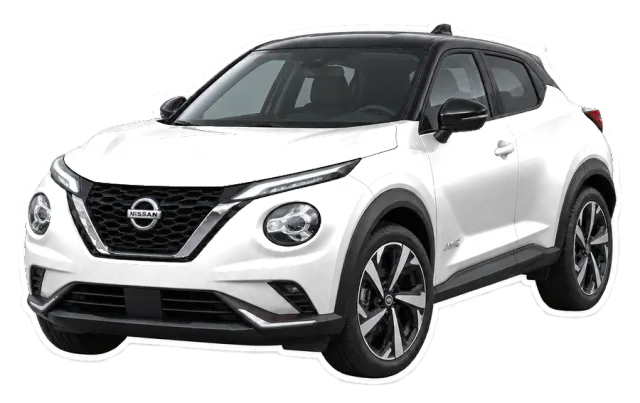
Why the Juke looks so cute in a widget
The Nissan Juke is a crossover: a little taller than a hatchback, softer than a big SUV. That rounded, balanced shape sits nicely in the middle of a widget and works with almost every world, from painted café scenes to holographic chrome.
The Nissan Juke is a favorite on the roads of the Gulf, from Riyadh to Dubai, so expect to spot a few of them in Stunny setups.
Worlds that suit a crossover
- Gouache Café, for the matcha & latte girl: painted gouache, matte brush texture.
- Holo Angel, for the dreamy space girl: holographic chrome, opal pearls, angel wings.
- Line & Linen, for the clean girl: one-line ink on linen paper, pressed flowers.
How to put your Juke on CarPlay
- In Stunny, pick Nissan, then Juke, and choose your paint.
- Make a widget in the Studio: “my car”, a countdown, your plate…
- Parked, on your iPhone: Settings → General → CarPlay → your car → Widgets, then add Stunny to a stack.
Need more detail? Our step-by-step guide to adding widgets to CarPlay covers stacks, Smart Rotate and what to do if a widget doesn’t show.
More Nissan cars in Stunny
17 other Nissan models are drawn in the app: Patrol, Patrol Nismo, Sunny, Altima, Sentra, Maxima, X-Trail, Kicks, Qashqai, Pathfinder, Magnite, Navara… See every Nissan model.
FAQ
Does Stunny work in my Nissan Juke?
If your Nissan Juke has Apple CarPlay and your iPhone runs iOS 26 or later, yes: Stunny widgets show up in CarPlay like any other widget. You set them up from your iPhone, while parked. See how.
Can I paint my Juke in my real color?
Pick one of the 10 Stunny paints: Hot pink, Pearl white, Matte black, Nardo grey, Champagne, Baby blue, Lilac, Mint, Butter or Cherry red. Try them on this page with the color buttons.
Is Stunny made by Nissan?
No. Stunny is not affiliated with Nissan or any car maker. The Nissan name is only used so you can find your car.
Stunny is not affiliated with Nissan or any car maker. Car names are used only to identify your car. CarPlay is a trademark of Apple Inc.