
How to get a pink CarPlay (the safe way)
Updated November 8, 2026 · by the Stunny team
Everyone wants a pink CarPlay right now, and the viral trick on TikTok is a color filter that turns your whole screen pink. It works, kind of, but it also tints your maps, your alerts and everything else. Here’s what that hack really does, and the cute, safe way to get a pink CarPlay in iOS 26.
The viral hack (and why we don’t love it)
The trick uses an iPhone accessibility setting: Settings → Accessibility → Display & Text Size → Color Filters, then Color Tint with the hue pushed toward pink.
The problems:
- It tints everything. Maps, traffic colors, warnings, photos: all of it turns pink, so colors you rely on while driving stop meaning what they should.
- It tints your iPhone too, until you turn it off again.
- It is an accessibility feature, made for people with color vision needs, not a theme.
So yes, it’s pink. But it isn’t a setup we’d drive with.
If you try it anyway: only change it while parked, and turn it off before you drive at night or somewhere you don’t know.
Step 1: a soft, official look
Start with what Apple gives you. On the car screen, open Settings in CarPlay:
- Wallpaper: pick the softest, warmest option in the list.
- Appearance: let CarPlay use the light look during the day. Wallpapers look more pastel in light.
Details are in our CarPlay wallpaper guide.
Step 2: pink widgets, with your car in pink
This is where it gets really pink, safely. Widgets take up a big part of the CarPlay screen in iOS 26, and Stunny widgets star your real car, drawn in pink.
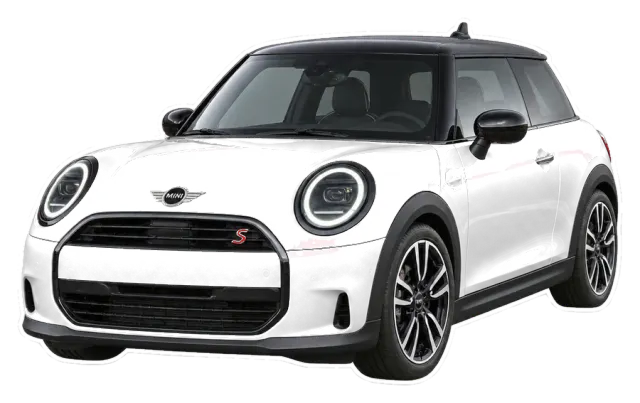
- Every car in Stunny starts in Hot pink, and you can switch to 9 other paints.
- The pinkest worlds: Pink Baddie, Gummy Candy, Pilates Club and Colored Pencil.
- Restyle all your widgets in one tap when you change your mind.
To place them: how to add widgets to CarPlay.
Pink setup ideas
- Pink Baddie at night: dark appearance, a glitter plate widget, a neon countdown.
- Strawberry milk: Gummy Candy, a Butter or Hot pink car, a water reminder.
- Pilates princess: Pilates Club, a Pearl white car, a countdown to your next class.
- Soft and sweet: Colored Pencil, a Baby blue car, a bunny saying hi.
- Coquette: Cherry Coquette, a Cherry red car, a bow on top.
The safe part: Stunny only changes your widgets. Maps, alerts and the rest of CarPlay keep their normal colors.
FAQ
How do I change my CarPlay to pink?
There is no pink theme in CarPlay. The safe way is a soft wallpaper and light appearance in Settings in CarPlay, then pink widgets, like Stunny widgets with your car painted in Hot pink.
Is the pink color filter hack safe?
It changes the color of everything on your iPhone screen, maps, traffic and alerts included, so we don’t recommend driving with it. It is an accessibility feature made for people who need it, not a theme.
Does the pink hack work on iOS 26?
The Color Filters setting still exists in iOS 26, and tutorials online show it on CarPlay. We prefer not to rely on it for the reasons above.
Can I make my car pink in the widget?
Yes. Hot pink is the first of Stunny’s 10 paints, and every car is drawn in pink to begin with. You can switch to Pearl white, Matte black, Lilac and more anytime.
Make it yours with Stunny
Your real car in your color, dreamy worlds and startup sounds, all set up from your iPhone.